
Go Attend
SwoogoEvents
0.00.00 Reviews
- Version
- 1.21.0
- Installs
- 10.00K
- Age Rating
- Everyone
Screenshots
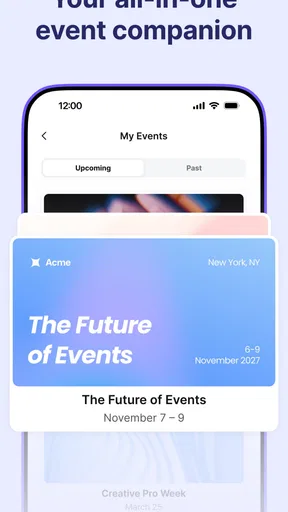
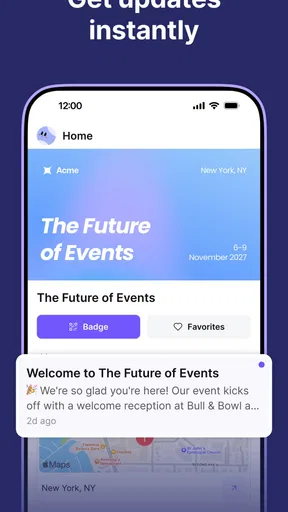
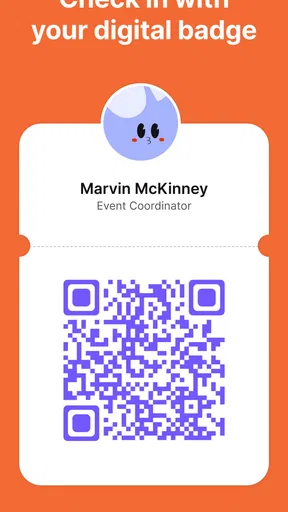
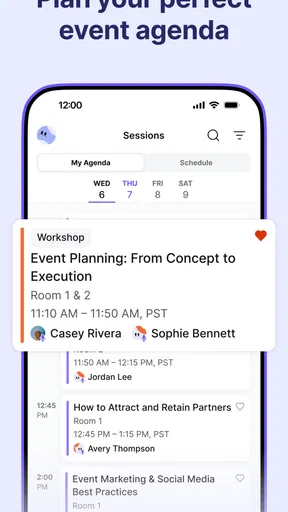
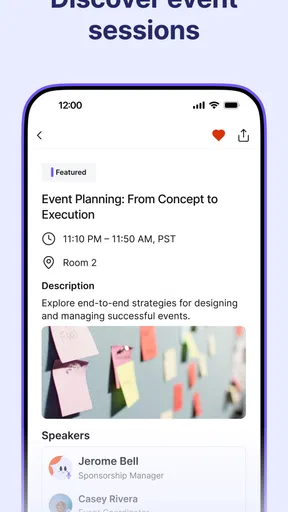
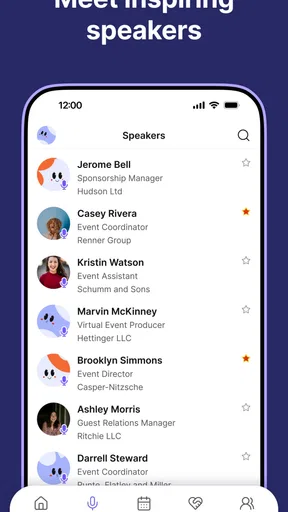
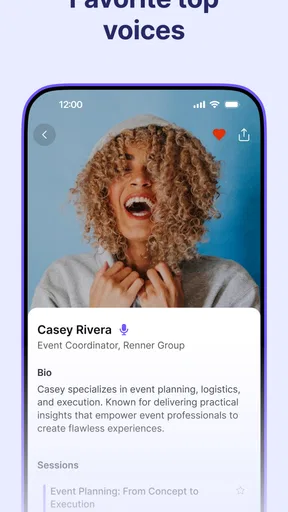
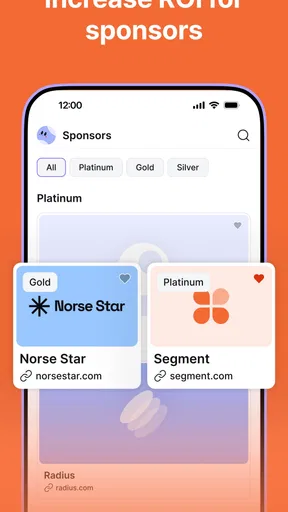
Our Review of Go Attend
 Analysis by Appyee
When I installed Go Attend, I approached it as an event companion rather than another general-purpose social app. That distinction matters. Its job is to support the moments around an event, where people usually jump between emails, browser pages, calendars, maps, and messaging apps just to find one useful detail. Developed by Swoogo, this free Events app is designed to put the event experience into a mobile format that is easier to carry from one session to the next.
My first impression was that its value depends heavily on the event it is connected to. This is not an app I would open every day for entertainment or personal organization. It becomes useful when an organizer has prepared a Go Attend experience for a conference, meeting, exhibition, or similar gathering. That makes it a focused tool, but also a slightly different proposition from a normal calendar or event-discovery service.
How Go Attend fits into a real event day
A realistic use case is a busy conference day. I might begin by checking the event details on my phone, then use the app as a reference while moving between rooms, speaking with people, and trying to remember what comes next. Instead of searching through an inbox for the latest message, I can return to the event’s mobile space and keep the relevant information close at hand.
That sounds simple, but simplicity is exactly what I want from an event companion. During a crowded event, I do not want to learn a complicated system or repeatedly sign in to unrelated services. I want an app that helps reduce small interruptions. The best way to use Go Attend is to open it before the event, look through the available material, and identify the information I am most likely to need later.
I would especially recommend checking the app before leaving home rather than waiting until arriving at the venue. That gives me time to become familiar with the event area and notice whether the experience includes the details I care about. It also prevents the common mistake of relying on a last-minute search while dealing with poor attention, a busy venue, or a phone battery that is already running low.
The app is listed for Everyone, which fits its practical purpose. It is not aimed at a narrow professional audience, even though many of the events using it may be business-oriented. A first-time attendee, a volunteer, a speaker, or someone accompanying a colleague should be able to approach it without treating it like specialist software.
A companion, not a replacement for every event tool
One important trade-off became clear to me: Go Attend is not automatically better than every alternative simply because it is an app. A calendar remains better for personal reminders across many unrelated commitments. Email may still be the official source for registration changes. A browser can be more convenient when I need to compare several public event pages. Go Attend makes the most sense when I want a dedicated mobile home for one event rather than a universal organizer for my entire life.
That focused approach can be an advantage. A calendar tells me when something happens, but it usually does not provide the surrounding event context. An email thread may contain useful information, but it can be difficult to scan while walking through a venue. A general event-discovery app may help me find gatherings, yet it is not necessarily built around the detailed experience of an event I am already attending.
The practical question is therefore not whether Go Attend replaces those tools. It is whether the event’s dedicated mobile experience saves me enough searching and switching to justify using it. For an event with a substantial schedule or a lot of moving parts, the answer is more likely to be yes. For a small appointment with one time and one address, my regular calendar would probably be quicker.
What the current release tells me
The current version is 1.21.0, and the app was released on September 9, 2025. I read that combination as a sign of an actively shaped product rather than a one-off launch page, although a version number alone does not tell me which individual improvements matter most. It does tell me that the app has a defined release path and is being presented as a current mobile product.
Go Attend supports Android 7.0 and later, which gives it a broad reach across compatible Android phones. That is helpful for event organizers because attendees are less likely to be excluded simply because they use an older supported device. For me as a user, it also means I do not need a recent flagship phone to consider trying it.
The app has passed the ten-thousand-install mark, so it is not an entirely unknown experiment. At the same time, that scale suggests I should judge it by the quality of the event experience I receive, not by the assumption that a large public audience has already tested every possible situation. Event apps can feel excellent at one gathering and less useful at another because much depends on how carefully the organizer prepares the content.
The most important thing to evaluate is the event setup behind the app, not just the download itself. If the organizer keeps information clear and current, Go Attend can become a convenient reference. If the event content is incomplete or poorly maintained, the app cannot compensate for that on its own.
How the recent release context affects existing users
Someone discovering Go Attend now is entering a product that already has a numbered current release rather than an unlabelled early build. Existing users should still treat updates sensibly: install the current version before an important event, open the event experience in advance, and avoid making the app their only source of critical information until they know how that particular event has been organized.
I also think the release context matters for expectations. A newer event app may still be refining how it handles different types of gatherings, attendee habits, and organizer workflows. That is not automatically a weakness. It simply means I would pay attention to whether later updates make the app easier to navigate, more dependable during busy events, and clearer about what information is current.
For an existing attendee, a practical routine is to update before travelling, open the app while connected to a reliable network, and review the event details before entering the venue. This is a small habit, but it separates preparation from troubleshooting. If something looks unfamiliar, I can resolve it before I am standing in a crowded lobby instead of assuming the app has failed.
I would also keep essential details available through the organizer’s other communication channels when possible. That is not a criticism unique to Go Attend; it is sensible planning for any event-dependent app. A phone can lose power, a venue can have weak connectivity, and an event schedule can change after I have last checked it. A dedicated app is useful, but it should support good planning rather than replace it.
Where the experience is strongest and where it still needs care
I find Go Attend strongest when an event has enough moving parts to make a dedicated mobile reference worthwhile, but that convenience still depends on how thoughtfully the organizer prepares it. The household angle brings a separate question: who is using the phone, and whose event details or account are open on it? I’d think through that boundary before sharing a device, then decide whether the app fits the way everyone at home coordinates.
Useful for structured events
Go Attend is most convincing when an event has enough information to justify a dedicated companion. A multi-part gathering creates many small questions: what is happening next, where should I look, which details did I miss, and what should I revisit later? Bringing that context into one event-focused place is more comfortable than treating an inbox as a filing cabinet.
It can also help people who do not want to carry printed material. Paper schedules are easy to lose, and they become outdated when plans change. A mobile event experience is naturally easier to revisit while moving around. I like that the concept encourages me to use my phone as a quick reference instead of carrying a thick packet that I may never open again.
There is a less obvious benefit for people attending with different priorities. One attendee may care about the timetable, another about practical location details, and another about reviewing the event after returning home. A dedicated event space can serve all of those moments without requiring everyone to manage the same email thread in the same way.
My tip is to use the app in three passes. Before the event, I use it for orientation. During the event, I use it for quick checks rather than constant browsing. Afterward, I return to it only if I need to recover a detail or revisit something connected with the gathering. This keeps the app useful without turning it into another screen demanding attention every few minutes.
Where the usual alternatives win
For a simple local event, a calendar entry may remain the better choice because it is already part of my routine. A calendar can combine the event with travel time, personal appointments, and reminders from other services. Go Attend is more specialized, so its strength appears when the event itself has enough structure to make a dedicated experience worthwhile.
Email also has one advantage: it is often where organizers communicate directly when something changes urgently. I would not delete those messages just because I installed Go Attend. Instead, I would use the app for organized event context and email for direct notices. That division of labor is more realistic than expecting one tool to handle every kind of communication.
A mobile browser may be preferable when I am only checking a public page or comparing several events. The browser is flexible and does not tie me to one event space. Go Attend becomes more attractive after I have committed to attending and want a focused place to return to. In other words, the app is strongest after discovery, not necessarily during the initial search for something to attend.
Limitations I would consider before relying on it
The first limitation is dependence on organizer quality. If the event is not well configured, the app may feel sparse or less helpful than expected. That is an important distinction: I should not judge the app only by its interface, but I also should not ignore the fact that my experience is partly outside my control.
The second is attention. Event apps can encourage attendees to look at their phones when they should be listening, networking, or watching what is happening around them. I would use Go Attend as a quick reference, not as a live commentary layer over the whole day. Its value increases when it reduces searching and decreases when it creates another stream of distraction.
The third is redundancy. If I am attending a short gathering with a single location and a fixed start time, installing a separate app may feel like unnecessary work. The free price removes a financial barrier, but it does not remove the time cost of downloading, opening, and learning a new tool. That trade-off is easy to overlook when an app is described as an event sidekick.
There is also a practical device consideration. Go Attend supports Android 7.0 and newer, but compatibility is only one part of a smooth event day. Storage, battery condition, connectivity, and the phone’s general performance can still affect how comfortable the experience feels. I would charge my phone and check the event before travelling, especially if the gathering is important.
Who should use it, and who should skip it
I think Go Attend is a good fit for attendees who regularly join organized events and want event-specific information in a mobile format. It is also worth trying when an organizer clearly directs participants to it, because that usually means the app is intended to be part of the event workflow rather than an optional download with little content.
It may be particularly useful for people who dislike searching through long email chains. If I often forget where I saw a timetable or practical instruction, a dedicated event space can reduce that friction. It can also suit attendees who move between sessions and need to check details without carrying printed material.
I would skip it for a tiny, straightforward appointment where my calendar already contains everything I need. I would also avoid depending on it as my only source of urgent updates until I understand how the organizer communicates changes. People who prefer not to install event-specific apps may be better served by requesting a web page, printable schedule, or email summary when those options are available.
What I would watch in future updates
Because the current release is 1.21.0, I would watch how the product evolves from here rather than assuming the present version defines its long-term ceiling. The improvements that would matter most to me are not flashy additions. I would look for clearer navigation during a busy event, dependable handling of changing information, and a smoother path for attendees who open the app for the first time at the venue.
I would also pay attention to how well the experience works across different event sizes. A tool that feels helpful at a large conference may feel excessive at a small meeting, while a design made for a simple schedule may become difficult to use when an event has many parallel activities. The best future direction would preserve the focused nature of Go Attend while making that range feel natural.
For existing users, the useful signal will be whether updates remove real friction rather than merely changing the appearance. I want to see improvements that help me find the next relevant detail quickly, understand what has changed, and return to the event without repeating setup steps. Those are the qualities that determine whether I keep an event app installed during a busy day.
My final recommendation
Go Attend is a sensible, focused Events app for people whose gatherings are substantial enough to need a dedicated mobile companion. I like the idea of replacing scattered event information with one place that I can check before, during, and after an event. Its free availability and Everyone age rating make it easy to try, while support for Android 7.0 and later keeps it accessible to a broad range of phones.
My recommendation comes with a clear condition: judge it together with the event it supports. When the organizer provides useful, well-arranged information, the app can save time and reduce the small frustrations that build up across a busy day. When the event is simple or the content is thin, a calendar, browser, or email may be more efficient.
After reviewing its current position, I see Go Attend as a practical tool rather than a universal event solution. Swoogo has a focused product in version 1.21.0, and its future value will depend on how consistently it turns event information into a quick, dependable mobile experience. I would install it when an organizer uses it for a meaningful gathering, prepare with it before arriving, and keep another communication channel available for anything genuinely important.
Verdict
Strengths of Go Attend
- Simple event discovery makes finding nearby activities quick.
- Useful reminders help users keep track of upcoming events.
- Event details are presented in a clear, easy-to-scan layout.
- Convenient access to schedules supports better time planning.
- Suitable for both casual attendees and regular event-goers.
Limitations of Go Attend
- Event availability may vary significantly by location.
- Some listings may lack complete descriptions or updated details.
- The app’s usefulness depends on having enough local events.
- Notifications can become distracting if too many are enabled.
- Certain features may require account registration or permissions.
Similar Picks in This Category
View All
Easy Quran Mp3 Audio Offline
Muslim Worldapp4.7

Invitation Maker: Cards & RSVP
Greetings Island4.9

StubHub - Live Event Tickets
StubHub4.3

Fever: Events & Tickets
Fever Labs4.7

Epic Freebie Games Radar
Arioch Pds - Apps & Games4.4

Invitation card Maker, Design
Splendid App Maker4.9
Frequently Asked Questions
What is Go Attend, and who is it designed for?
Go Attend is an event-focused application designed to help users discover, organize, and participate in events more conveniently. It may be useful for attendees looking for conferences, meetings, workshops, social gatherings, or other activities, while organizers can use it to share event information and manage participation. The exact features available may depend on the event and the organizer’s setup.
Do I need to create an account before using Go Attend?
Some parts of Go Attend may be accessible without registration, such as viewing general event information, but an account may be required to register for events, save details, receive updates, or access personalized content. Before downloading, users should be prepared to provide basic information and verify their email address if requested. Available sign-in methods and requirements can vary by version and region.
Can I use Go Attend to register for events and receive notifications?
Go Attend may allow users to register for participating events directly through the app, depending on how each organizer has configured the event. It can also provide reminders, schedule changes, announcements, or other updates through push notifications. Users should review notification permissions and event settings carefully, because important information may be delivered through the app rather than by email.
Is Go Attend free to download and use?
The application may be available as a free download, but that does not necessarily mean every event or activity is free. Certain events can require paid tickets, registration fees, memberships, or additional purchases handled by the organizer. Users should check the individual event page for pricing, refund rules, payment methods, and any extra charges before confirming their attendance.
What privacy and device permissions does Go Attend require?
The permissions requested by Go Attend can depend on the features you use and the operating system installed on your device. The app may request access to notifications, location, calendar functions, camera, or storage for event-related tools such as reminders, check-in, maps, or QR codes. Review the privacy policy and permission prompts, and disable access that is not necessary for your intended use.
